Plug It: A Masterclass in Circuit Topology and Spatial Alignment
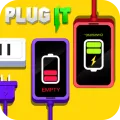
If you think Plug It is just a simple game of making connections, you haven't mastered the Pathfinding Logic and Interface Synchronization required for its complex later stages. This title is a sophisticated exercise in Topological Problem Solving and Geometric Reasoning. You are tasked with completing electrical circuits by precisely aligning male and female connectors within a constrained grid. What makes Plug It a standout on Gamesvio is its "Spatial Constraint Engine"—the game rewards your ability to visualize the final circuit flow before a single component is rotated or placed.
In this digital engineering lab, your biggest enemy isn't the number of plugs—it's Spatial Tunnel Vision. Whether you are managing multi-port hubs or navigating around "Dead-End" sockets, success depends on your ability to treat the board as a single, unified Logic Gate.
The "Peripheral-Inward" Connection Strategy
To achieve a 100% completion rate and clear the "Master Tier" layouts with maximum efficiency, you must implement the "Peripheral-Inward" Strategy:
Terminal-Point Identification: Every circuit has a fixed starting point or a "Fixed Socket." Identify these unmovable terminals first. By working from the static edges toward the center, you eliminate 50% of the possible "False Paths," significantly reducing the cognitive load required to solve the puzzle.
Rotational Symmetry Analysis: Before placing a plug, analyze its Connection Pins. Some plugs offer multi-directional output, while others are strictly linear. Use your multi-directional components as "Pivot Points" in the center of the grid to bridge distant terminals, saving space for more rigid connectors.
The "Ghost-Path" Visualization: Before committing to a move, practice Mental Trace-Routing. Visualize the flow of electricity through the components you haven't moved yet. If a specific placement "Blocks" a future connection to a peripheral socket, it is a sub-optimal move. Always leave a "Clear Corridor" for your final connector.
Electrical Logic Specialist Intelligence (FAQs)
Q1. Why do some layouts feel "Impossible" even when all plugs are used?
This is usually due to a "Logical Bottleneck." In advanced levels of Plug It, there is often a single "Key Component" that must be placed in a specific orientation to allow all other connections to follow. If you are stuck, reset the grid and focus on the plug with the most connection points first; it is typically the hub that dictates the rest of the circuit's geometry.
Q2. How do I handle "Tighter Layouts" where plugs overlap?
In high-density levels, "Orientation Efficiency" is critical. You must use the smallest possible footprint for each connection. This often means choosing a "Z-Shaped" path over a straight line to navigate around obstacles. Remember: the shortest distance is not always the most efficient path in a constrained grid.
Q3. Is there a "Current Flow" indicator to help me troubleshoot?
Yes. Plug It features a "Live Feedback" mechanic. When a connection is partially successful, the components will subtly change state or highlight. Use this visual data to "debug" your circuit in real-time. If a section remains dark, the break in logic is located in the immediately preceding connection.
Q4. Is the game optimized for high-precision tactile input on mobile?
Absolutely. Plug It is built on a High-Performance HTML5 Logic Framework specifically optimized for "Zero-Latency Rotational Input." To ensure the most accurate placements, we recommend playing in Portrait Mode. This orientation provides a superior view of the vertical "Connector Alignment," which is essential for solving the multi-tier circuits found in the "Expert" level packs.


























 Action & Adventure
 Arcade & Run
 Puzzle & Logic
 Sports & Racing
 Casual & Fun