Virus Attack: A Masterclass in Topological Area-Contraction
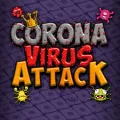
If you think Virus Attack is just a simple game of "drawing boxes," you haven't mastered the Path-Trace Latency and Vector-Boundary Intercepts required for its veteran difficulty tiers. This title is a sophisticated exercise in Spatial Enclosure and Dynamic Perimeter Defense. You are tasked with claiming territorial dominance by drawing "Containment Lines" across a high-hazard field, where success depends on your ability to complete a "Closed-Loop Polygon" before a virus intersects your active path. What makes Virus Attack a standout on Gamesvio is its "Probability-Based Difficulty Scaling"—as the percentage of captured territory increases, the movement area for the viruses shrinks, creating high-velocity "Kinetic Pressure Zones" that require millisecond-level precision to navigate.
In this high-stakes digital quarantine, your biggest enemy isn't the virus—it's Path-Extension Risk. Whether you are executing a "Deep-Field Expansion" or managing a "Safe-Zone Retreat," success depends on your ability to treat the screen as a Variable Geometric Grid.
The "Area-Contraction" and Vector-Intercept Strategy
To dominate the leaderboards and achieve a "Grandmaster Containment Specialist" ranking, you must implement the "Area-Contraction" Strategy:
Vector Intercept Calculation (The "Angle of Incidence" Rule): Stop moving randomly. Observe the Bounce Vectors of the viruses. Because they reflect off boundaries at predictable angles, you can calculate their "Arrival Frame" at any given point. Only initiate a "Trace" when the virus is moving away from your intended path-vector, ensuring maximum "Buffer Time" for loop completion.
The "Micro-Claim" Technique: Avoid the temptation to capture 50% of the screen in a single move. In Virus Attack, longer lines are exponentially more vulnerable. Use "Incremental Shaving"—capture small 5–10% slices along the perimeter. This strategy maintains a high "Safety-to-Progress Ratio" and prevents the viruses from gaining the velocity needed to intercept a long-range trace.
Structural Safe-Zone Anchoring: Always begin and end your moves from your Claimed Territory. Use your established boundaries as "Kinetic Anchors." By staying close to the safety of your captured zone, you reduce the "Exposure Window" during which the viruses can strike your vulnerable path-line.
Epidemiological Logic Specialist Intelligence (FAQs)
Q1. Why does the virus seem to speed up as I capture more space?
This is a mechanical simulation of "Kinetic Compression." As the "Free-Space Volume" decreases, the frequency of virus-to-boundary collisions increases, giving the illusion of higher velocity. To counter this, your "Decision Latency" must decrease as the level nears completion. The final 10% of any level is the "Critical Zone" where precision overrides speed.
Q2. How do I handle "Erratic Path" viruses that don't follow linear bounce rules?
These are "High-Entropy Hazards." The secret is "Containment Segregation." Instead of trying to capture the area around them, use your lines to split the screen into two smaller zones, trapping the erratic virus in one. Once "Segregated," you can safely capture the remaining empty zone without interference, effectively neutralizing the threat.
Q3. Is there a "Efficiency Multiplier" for fast area capture?
Yes. One of the best ways to climb the Gamesvio leaderboards is the "Velocity-Capture Bonus." Completing a level with fewer than 20 total "Trace Actions" triggers a score multiplier. Maintaining this "High-Yield Strategy" is the secret to reaching "Elite Class" rankings, as it rewards strategic planning over reactive "shaving."
Q4. Is the game optimized for high-precision mobile tactile control?
Absolutely. Virus Attack is built on a High-Performance HTML5 Logic Engine specifically optimized for "Raw Coordinate Polling." To ensure the most accurate path-tracing during "High-Density Sequences," we recommend playing in Landscape Mode. This orientation provides a superior view of the "Lateral Bounce Vectors," which is essential for calculating the long-range intercepts required in the "Omega-Tier" difficulty levels.



























 Action & Adventure
 Arcade & Run
 Puzzle & Logic
 Sports & Racing
 Casual & Fun